
Equipping creative businesses to unleash their best work.
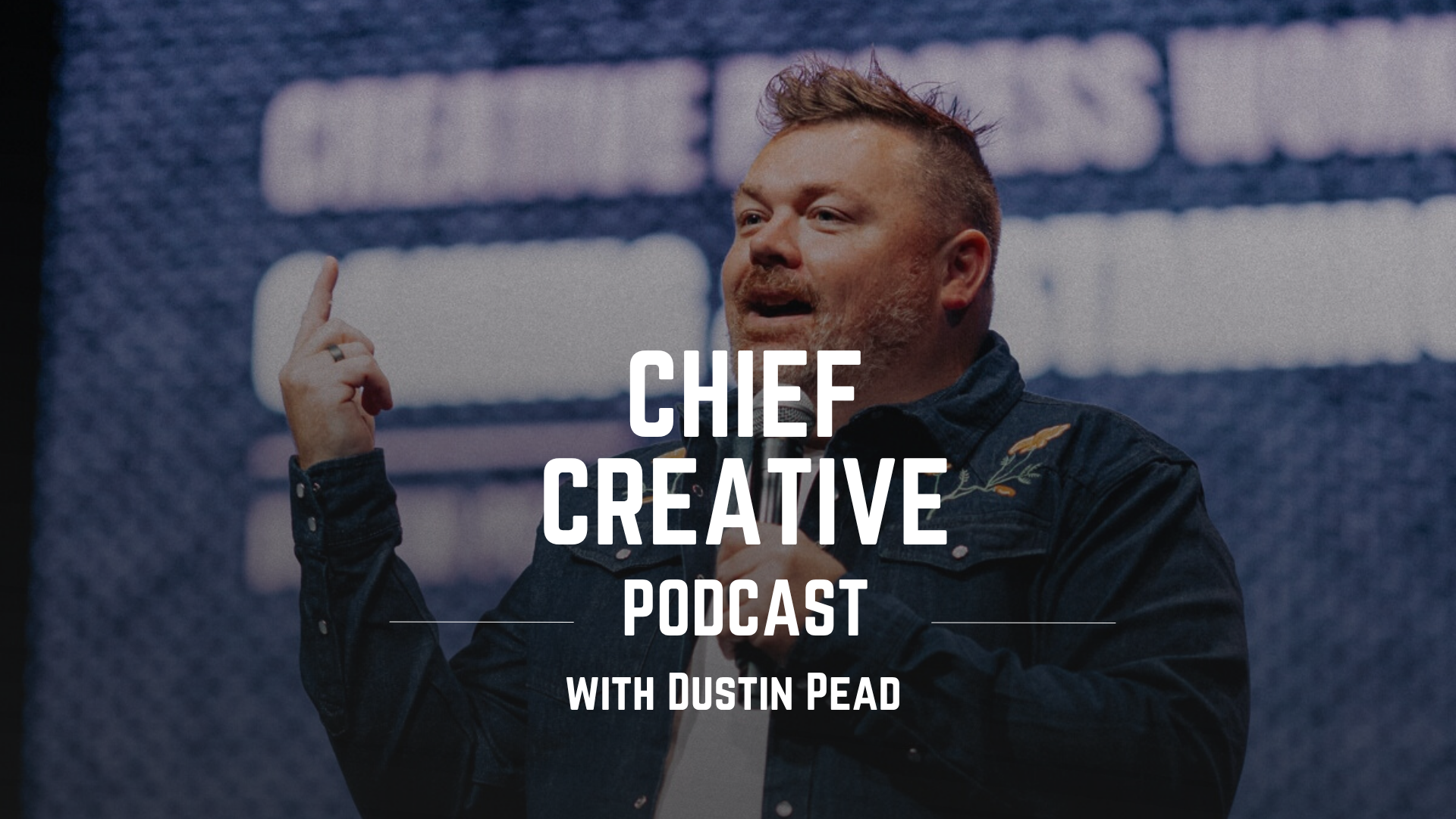
Systems. Frameworks. Real client stories. Practical strategies.
Ep 107: The Digital Studio Toolkit: Automation Systems for Creative Teams
Are you spending more time on administrative tasks than actual creative work? In this episode of Creativity Made Easy, we explore how the right digital tools and automation systems can free up your creative energy while boosting your team's productivity.
As creative professionals, we often find ourselves caught in the paradox of wanting more time to create while drowning in repetitive tasks. By identifying which activities generate the most value and automating the rest, you can reclaim your time and focus on what truly matters—your creative work.
Freeing Up Your Creative Energy
SUMMARY
Are you spending more time on administrative tasks than actual creative work? In this episode of Creativity Made Easy, we explore how the right digital tools and automation systems can free up your creative energy while boosting your team's productivity.
As creative professionals, we often find ourselves caught in the paradox of wanting more time to create while drowning in repetitive tasks. By identifying which activities generate the most value and automating the rest, you can reclaim your time and focus on what truly matters—your creative work.
KEY TAKEAWAYS
-
⚡️ Key Takeaway #1: Apply the 80-20 Principle to Your Creative Work
80% of your results come from 20% of your efforts. The key is identifying which creative tasks generate the most value so you can automate or delegate the remaining 80% that drains your creative energy. Conduct a time and energy audit to identify where your time is going and which tasks only you can do.
-
⚡️ Key Takeaway #2: Automate Repetitive Business Activities
Several common business activities are perfect for automation, including:
Client onboarding and intake forms
Project milestone notifications
Invoice generation and payment reminders
Social media scheduling
Email responses to common inquiries
Tools like AI (Claude), CRMs, project management software, and email automation can save you countless hours by handling these repetitive tasks.
-
⚡️ Key Takeaway #3: Regularly Evaluate Your Tech Stack
Ask yourself these five questions quarterly about each tool in your digital toolkit:
Does it help you save time?
Does it clear up mental space?
Does it reduce stress?
Does it set up future you for success?
Does it fit in your budget?
If a tool doesn't meet these criteria, it might be time to look for alternatives or simplify your tech stack.
NOTABLE QUOTES
-
💬 "Your technology should serve creativity, not complicate it." - Chris Do
-
💬 "Focus your creative energy on high-impact tasks while systemizing everything else." - Chris Do
-
💬 "The goal isn't to automate everything, but to free up your time for the highest value creative work—that 20%."
EPISODE RESOURCES
-
⚡️Time & Energy Audit Template - Free template based on Dan Martell's book Buy Back Your Time.
-
⚡️The Futur - Chris Do's website mentioned in the episode
-
⚡️ Recommended Tools Mentioned:
-
⚡️ Subscribe to my weekly newsletter here
TRANSCRIPT
Are you spending more time on administrative tasks than actual creative work? Today, we're exploring how the right digital tools and automation systems can free up your creative energy while boosting your team's productivity. Let's get into it. Creatives from chaos to clarity.
Welcome back, everyone, to Creativity Made Easy, the podcast where we transform creative chaos into clarity. This is a podcast for all creatives, designers, photographers, writers, and all creative entrepreneurs who are seeking practical and actionable strategies to grow their creative business through efficiency. We do that a lot with systems and processes. I'm your host, Dustin Pead. Creative process coach and consultant. I help creatives know themselves, their process and their teams to create with efficiency as they scale together.
Before we get started on today's episode, I want to invite you to like, subscribe, ring the bell if you're watching on YouTube. If you're listening to this podcast on the audio podcast platform, I would love for you to leave a five star rating or review, whatever your platform allows that really helps get this content out further to those like yourself who can benefit from it. You can follow me on social media at Dustin Pead. That's P-E-A-D and you can find out everything that I have going on at DustinPead.com including some exciting new tools and events coming up.
But today let's get into this digital studio toolkit automation systems for creative teams. So I'm a mild tech geek. I don't necessarily go looking out for every single new thing that's coming out. But I am a huge fan of efficiency and I'm a huge fan of automating things to save me as much time as possible. And we're having this conversation here in the year 2025 and we have to bring up AI, right? And so there's two major tools, one being AI that I use, but Claude is the AI tool that I use and my CRM is a white label version of Go High Level. I've talked about it on here before called VidLead Studio.
Those two have automations that have saved me countless hours, whether I'm just kind of processing out an idea and what it could look like. I really use Claude to have conversations with. My wife makes fun of me all the time because I'm saying I having a conversation with Claude the other day as if it's a real friend of mine. But we have these conversations back and forth and we're able to kind of flesh out some ideas and some different things. And it prompts with a lot of really great questions that I had not considered before.
And then that leads to certain automations, one of which I just donned came upon earlier this week where I'm getting ready to onboard a virtual assistant. And a major part of a virtual assistant is email management. And so what I wanted to do was I wonder if there was a way, cause I'm only given a certain amount of hours. So this virtual assistant, I wonder if there's a way, for to have like an email recap automatically sent to her, every day at the end of the day, here's what, here's the came activity that came in on the inbox. Here's the activity that happened going out. The things that you need to know, action steps that need to be taken, things that need to be followed up with yada, yada, yada, right?
Simple kind of a summary rather than having every single email to pour through and look through that could take hours every single day. So Claude just recently announced that they have a Gmail integration. And so I went into Claude, I had a conversation with it for about 20 minutes on the other side of it. Now I have a system set up automatically where it will email out a synopsis to me and my VA every single day, Monday through Friday at 5 p.m. Eastern with a customized summary from clients, new business opportunities, all these different things, right? And action steps that need to be taken.
And so that's just one of many, many, many different ways that your digital studio can help you automate some systems that will save you and your team lots of time. The paradox that we face here as creative teams is that we want more time to create, but we also are drowning a lot in some very repetitive tasks. So building on last week's podcast discussion where we talked about project timelines and profitability in those timelines, and today I wanted to explore how the right tools can help protect those timelines.
Let's kick it off here with what's known as the 80-20 principle. Now, the 80-20 principle means something different in every single context, but the Pareto principle, how you pronounce it, essentially says, listen, 80% of the results come from 20% of our efforts. And so if that's true, which I believe it is, and I think if you look at kind of the past six, 12 months or so, you could probably even say that's true about you in your life as well, that it's really most of the results are coming from the very few things of the efforts that I'm putting in.
And so what's critical here is that we identify, right? We identify what that 20% of creative tasks are that generate the most of our value. If that way we can target automation at the remaining 80% that drains our creative energy. So there are some common business activities that are perfect for automation. Here's just a few of them, right? Client onboarding and intake forms. This is something I help my clients with all the time, specifically inside of a CRM. How are we bringing in clients? How are we onboarding them and moving them through the process of becoming a client of theirs?
Project Milestone Notifications. I'm going to talk a little bit, I think I talked a little bit about this last week, but really just like having some of that CRM automatic notifications built in customized to their project through their customer journey. Last week I talked about that pizza delivery system. You can go back and listen all about how that works. Invoice generation and payment reminders, like all that stuff, you should not be sending manually. All of that stuff should be automated.
Social media scheduling. This can go either way, right? Social media, especially ones like Instagram and Facebook, they, as far as organic reach is concerned, they prioritize those that use their app and use their platform organically. And so sometimes scheduling some social media may not be the right way to go for your reach, but if your purpose is more consistency and less reach, then social media scheduling could be a huge time saver for you, and you can do that through most CRMs as well, so it's kind of all in one platform.
And then email responses to common inquiries. There are so many different mail programs out there. I, being an Apple loyalist, have used Mac mail on my laptop and on my iPhone ever since I had a Mac laptop and an iPhone. But just recently I switched over to Spark email. One of my clients uses it and recommended it. And inside of Spark, you can have some automatic email responses to certain inquiries that come in.
Yes, you can do a simple out of office reply for when you're on vacation or you're not or it's in the time frame of the day that you're not generally going to be checking your email. But this is kind of a hey, listen for smart words and then respond accordingly back to that. So there are many, many, many ways to automate the other 80 percent of your activities. But this is just a few of them that I wanted to hit so far. So we talked about identifying the 20 percent.
So here's how I think you can help identify that 20% that brings the most value. Dan Martel wrote a book called Buy Back Your Time. I talk about it all the time. It's a fantastic book. My favorite part of the book, is in it he talks about doing a time and energy audit. So what I created for myself and for others in my circle is just a simple Google spreadsheet of how to be able to do this time and energy audit. But essentially, what it is is every 15 minutes or 30 minutes or hour or however often you wanna do it, you will write down exactly what you're doing, the task, right, that you're doing during that time block.
You're gonna also choose in mind, I have a dropdown menu of green or red. Did it give you energy or did it take away energy from you? That's important to know with the time and energy audit. And then, there is a value drop down menu as well. $1 sign up to $5 signs. Now it doesn't mean value in terms of monetary like financial value. It means the value that you are bringing to the table for your organization, right? What am I adding the most value here? Is this something that someone else could easily add value to? So $5 signs would be like, these are things that only I can do. No one else in the organization can do this and be real about it. Don't be so fully yourself to think that all your tasks are $5 signs because more than likely according to the 80-20 rule 80% of your tasks are not $5 sign value tasks.
So you go through there and you do that for about a week 10 days no more than that and then you can step back and look at the full picture and see as Dan Martell teaches us where your time and your energy is going to and so that's an easy quick way to go Okay, there's my 20% and everything else, the 80% I need to figure out how to automate or delegate or eliminate, right? Going back to that focus funnel.
There's a guy blowing up on social media right now, a professional creative as well. Fantastic dude. His name is Chris Do, D-O, and he is from his, his website is thefuture.com. There's no E on the end of future. What he emphasizes, we're going to talk about him a few times in this podcast episode. What he emphasizes is that focusing your creative energy on high impact tasks while systemizing everything else is what will create the best future for you and your company and you and your organization. So emphasize or focus on focus your creative energy on high impact tasks while systemizing everything else. That's exactly what the time and energy audit is telling us.
Now, if you want that template for the time and energy audit that I made from based off of Dan Martell's book, you can go to DustinPead.com slash free and click on the time and energy audit button and it will automatically send you a copy of that to use. So let's get into the next point. All right. The common water cooler talk when it comes to digital tools or the tech stack, if you will, around the water cooler is, tell me what you're using.
I love to hear what other people are using because if it's something that can help me and improve my systems and processes and help me be more efficient, then I wanna know about it. And it's just like, I've used Mac Mail for so long, but now I'm using Spark and it's really helping me kinda navigate through some things without having to check my email constantly, right? So I just wanna give you my kinda essential tech stack that I use. And this is not everything. This is just a handful of them, right?
But if you're brand new to the podcast, you've never heard me say this before. But if you've listened to five minutes of any other podcast episode that I've done, any of the previous 106 episodes that we've done here, you know that my project management system that I use is Asana. And I love to use Asana because it's easy for me to create templates to duplicate every single time when someone, when a new project comes in for me or one of my clients, I don't have to recreate the wheel every single time I go, Oh, you want this product? No problem.
I have a template for that, for that project, but timelines and everything, I'm going to duplicate it I'm going to, and then I'm going to quickly assign who it goes to and when the, when, when it needs to be done or you can have your project manager do that. Right. And so easily boom in a matter of seconds, we are up and running in the project and it's all added to our to-do lists.
A client communication platform that I use as part of our Chief Creative, which is my LLC, Chief Creative Consultants Community. We use Slack, which is just an internal communication tool, often like a Google chat or something like that. I love Slack because of some of the automation features in it. Has a ton of integration, like an integration with Asana. So let's say a client slacks our team and says, hey, could you guys take a look at XYZ for us? Sure, no problem.
What we're going to do though, in that exact moment, is we're going to click the button next to that Slack message that came in and we're going to create a task in Asana and we're going to assign it to somebody on our team and we're going to put a DO date on it. Right then and there from Slack, we don't have to leave the program to go do something else and worry about mind shifting or getting distracted. We're going to do it right then and there and then we're going to share that automatically back to them and say, look, we're on it. We created a task for it. It's in, it's in our Asana. Don't worry about it. We will get back to you on it. We will take care of what you asked us to do.
The other cool part about that. And then a little bonus like feature is that when that task comes up for us to do in the task description, there's going to be a link to that exact Slack message where the request came in at. So if we, again, we talk about future you all the time and understanding the context of what we're dealing with immediately, all I have to do is click that it opens up my Slack and shows exactly what the context was of the conversation. Why this was a thing that is automatically in my Asana now. And I can boom off to the races, go ahead and take care of it. So I love Slack channels, DMS, all of it. So, good.
I'm not going to, there's not a product breakdown for Slack, but definitely, I recommend it a lot for client communication and internal team communication as well. My file management and asset storage, I just use Google Drive again because it's connected to so many different things. I talked about Claude earlier and my CRM. Google Drive just works so seamlessly with both. You could see already from my email thing that I was talking about earlier with Claude and then my CRM as well, all of it works in calendar and scheduling, also my CRM. Again, I like to try and do as much as I can in one central location. So calendar and scheduling is in my CRM as well.
And then time tracking, I'm testing out a couple of them right now and I'm mostly using time tracking for efficiency. I want to know how long are certain tasks taking me so that when a client or someone on the team asks, for a certain thing that we can go, okay, I know from experience and from documenting this, this is how long it's gonna take for us to do that. Or if I can look at it go, man, it took me three hours to do that. Why? I must've been distracted. I needed to kind of tighten up. And so I use my time tracking as a bit of an internal coach for me and my team. So I've been switching back and forth between Harvest or Clockify. Harvest works really well with Asana, which I really love.
Clock and both of them work really well within the like Google Chrome kind of web browser harvest costs. Clockify is free. You kind of get what you pay for, you know, when you're when you're thinking about these these little tools, but obviously costs all add up. So choose what's best for you. And then let's see what else do I have. The last one I want to talk about is Loom. I love Loom. Loom is a simple way to record what is on your screen with a little circle in the bottom corner of you while you're, while you're talking through and showing anything that you want on the screen.
So I use this two ways. I use it for client and team training. I can record it once, make sure that I'm addressing a generic crowd, not going, Hey Lauren, let me just show you this thing. You can, if it's for that one particular individual and a unique case, but this really allows us to build up kind of like internal courses and videos on here's how we do these things if they're done digitally on a computer or a phone. It has an app as well for your phone. So even if you're trying to show somebody something on your phone, you can do that through loom as well. That's L O O M.
I use loom every single day. But all in all, it's important to have whatever systems you use, whatever digital tools you use. It's really, really beneficial if you can have those systems talk to each other, create a connected ecosystem in your digital stack or your tech stack or your digital tool belt. But listen, we've all been there before where we put too many things in our pockets or refill the backpack or the luggage too thick or too heavy. And it's so exhausting to carry around. So sometimes less is more. It's why I love my CRM so much because I can do a lot in it with one tool. So just think about that as you're going through your tech stack, which we'll talk about here in a second, but another quote here from Chris Dew at thefuture.com. says, your technology should serve creativity, not complicated.
So let's get into automating some client communications and approvals. You can set up automated client onboarding sequences. We talked about that already. There are different client, or there are different templates that you can create for, for common client communications. It's difficult to say. So project kickoff emails, status update reports, feedback request forms, milestone celebrations. I know all this sounds like a lot of work, but you do all that work up front and then it frees up 80 percent of your time later because you've built out these processes and systems.
So implement approval workflows that reduce the back and forth, right? Use automation to maintain consistent client touch points. There's value. Right. There's value of creating client education materials once like we talked about on loom and then deliver them automatically over and over again. Listen, client portal systems. They're nice. Let's talk about that for a second. But for project communication, again, I use my pizza delivery method, which is just a simple way to be able to say, this is where you're at in the project. You think about the client journey, you ping them on those points of the client journey. You say, this is where your project is at right now. Same way that you would order a pizza for delivery. Simple.
So maybe you've built up a lot of tools over the last however long, or you're just getting started and you're like, I don't know which tools to use. Either way, there comes a point where you need to kind of reevaluate your tech stack or your digital tool belt. Here's some things to ask yourself. Number one, does this tool help you save time? If it costs you more time, now it's probably going to cost you a little bit of time in the beginning, right? Cause you're setting everything up. But overall, over a span of let's say three months or so, does this tool help you save time? If it does check, you're going to want to keep it and move on to the next, next part.
The next, measurement is does it clear up mental space? Your mind is the central processing unit. It is the central computer of everything that you do, your creativity, your thoughts, your emotions, everything comes out of your mind. So if it doesn't clear up mental space, then it's not for you. Number three, does it reduce stress? If it doesn't make you feel better, then it's probably not better. Easy, right?
Number four, does it set up future you for success? We talked about future you knowing that, the future you doesn't have the same context as what you have going on today. So does it set up future you for success to understand that context so it can pick right back up where you left off? And then lastly, does it fit in your budget? Do not break your bank trying to use all these tools. I think most of everything that I sent that I told you about today, I spend less than $300 a month on any of that stuff. And it's so, so easy to get things kind of caught up, just like in your subscription services, right? And next thing you know, you're breaking your bank for your digital tool belt. But listen, you don't have to do that.
So ask yourself these questions quarterly, just to ping yourself, set yourself a 90 day reminder on your phone or your project management task, project management tool, and just say, hey, it's time to ask yourself these five questions about the tools that you're using. Does it help you save time? Does it clear up mental space? Does it reduce stress? Does it set up future you for success? And does it fit in your budget? And if it doesn't, cut them out. And then you can keep your eye out for something else.
So before we wrap up, I want to remind you that you can get the time and energy audit that I created off of Dan Martel's book at dustinpead.com slash free. And remember a few things, technology should enhance creativity, not replace it. Just like Chris Dew says, start small with one automation, build up from there, right? The goal isn't to automate everything, but it's to free up your time for the highest value creative work, that 20%. And remember the best systems, they evolve gradually over time. Don't try to overhaul every single thing at once. And it's such an honor and a pleasure to be with you today. Cannot wait to be back with you next week, episode 108 of the Creativity Made Easy podcast. We'll talk to you then.
Ep 106: Profitable Project Planning
Have you ever found yourself working nights and weekends on a project that should have been profitable, but somehow isn't? You're not alone. Many creative professionals struggle with timeline management and project planning that protects their financial margins. In this episode, we dive into the art of setting realistic timelines that not only keep clients happy but also ensure your business remains profitable.
Setting Timelines That Protect Your Bottom Line
SUMMARY
Have you ever found yourself working nights and weekends on a project that should have been profitable, but somehow isn't? You're not alone. Many creative professionals struggle with timeline management and project planning that protects their financial margins. In this episode, we dive into the art of setting realistic timelines that not only keep clients happy but also ensure your business remains profitable.
KEY TAKEAWAYS
-
⚡️ Key Takeaway #1: Creative professionals chronically underestimate timelines
Creative entrepreneurs tend to fall victim to optimism bias, imagining best-case scenarios while failing to account for administrative tasks and client communication time. This "planning fallacy" leads to underestimating project timelines even when we have past experience telling us otherwise. Perfectionism compounds the problem by extending project timelines through over-iteration and editing, draining both emotional energy and financial resources.
-
⚡️ Key Takeaway #2: Implement a change request protocol to manage scope creep
Scope creep—allowing the original scope of work to expand beyond what was initially agreed upon—is one of the biggest threats to project profitability. To combat this, establish clear project boundaries, overcommunicate expectations throughout the project lifecycle, and implement a formal change request protocol. Build in financial buffers of 10-20% to account for contingencies, just like builders do with construction projects.
-
⚡️ Key Takeaway #3: Create timeline visualizations clients can easily understand
Keep clients informed about project progress with simple, transparent timeline tracking. Dustin calls this the "pizza delivery system"—just as pizza chains now show customers exactly where their order is in the process, creatives should implement automated updates that show clients the project status. This proactive communication prevents misunderstandings, reduces client anxiety, and sets appropriate expectations.
NOTABLE QUOTES
-
💬 "Underestimating timelines can be a chronic problem that you need to address. There's a common challenge that creatives face, and that is underestimating time needs while overestimating the capacity of what it takes to deliver."
-
💬 "Small change adds up to big change real quick. It's a snowball effect."
-
💬 "Be proactive here. Profitable project planning is all about being proactive, not reactive. You need to protect financial margins. It's not greed, but it's essential for your sustainable creativity."
EPISODE RESOURCES
-
⚡️FREE LIVE Webinar: Join Dustin and Christian Brim (author of "Profit First for Creatives") on Wednesday, April 30th at 1 PM EST. Register here
-
⚡️ Connect with Dustin: Follow @dustinpead on Instagram, LinkedIn, YouTube
-
⚡️Free Guide: Download the free guide to eliminating project pitfalls at dustinpead.com/pitfalls
-
⚡️Book Recommendation: "Growing Upward" by Dustin Pead - Available at dustinpead.com/book or wherever books are sold
-
⚡️ Subscribe to my weekly newsletter here
TRANSCRIPT
You ever found yourself working nights and weekends on a project that should have been profitable, but somehow isn't still today? We're tackling the art of setting realistic timelines that protect your bottom line while keeping clients happy. Let's get into it.
Taking creatives from chaos to clarity. Welcome, everyone, to the creativity made easy podcast where we transform Creative Chaos into Clarity. This is a podcast for all creatives, designers, photographers, writers, all creative entrepreneurs seeking practical, actionable strategies to grow their creative business through efficiency. I'm your host, Dustin Pead, creative coach and consultant, and I help creatives know themselves, their process, and their teams to create with efficiency as they scale together. And before we get into today's episode,
Got a really cool thing coming up and just under a week on Wednesday, April 30th at 1 p.m. Eastern Time. I'm doing a free live webinar with Christian Brim. If you don't know Christian, he is the author of Profit First for Creatives. And he is having a webinar with just me and him and is absolutely free to you. It's called they tell they titled it.
Smells like creative chaos. Organize it, claim it, and get it done. But I'm going to be sharing a lot of principles that I teach on here in this podcast, sharing a lot of those with you in a live format so you have an opportunity for Q&A and all that stuff. But you can register for free if you go to dustinpead.com slash live. That's dustinpead.com slash L-I-V-E to register.
Also want to remind you, you can follow me on Instagram, LinkedIn, YouTube, all the places at Dustin Pead, P-E-A-D. All let's get into today's episode. Today is all about profitable project planning. That's right. We said it last week, the triple P's. We're going to set some timelines that can respect your financial margins. So there was a time, not too long ago, I was writing my very first book. It is the only book that I've written to date.
I have working on my second book right now. And I had just a very ambitious. I didn't know it was ambitious at the time. I had an ambitious goal of releasing this book in October of it had been twenty twenty four. And I don't know why October. Maybe I just thought I needed some time to get it done. And so I gave myself nine months to outline, write, and market the launch of this book. And let me tell you the biggest lesson I learned, not the biggest reward, the biggest reward was getting it done and having the book available for my kids. It's a memoir called Growing Upward. If you want to check it out, it's on my website. Go to dustinpead.com slash book. You can buy it there or Amazon or anywhere audio books are sold. It's called Growing Upward. Just search for my name and you'll see it.
But really what I learned was a valuable lesson in setting timelines. Nine months is not a lot of time to start from just an idea of the book all the way to launching the book. That is not a lot of time. And I quickly found myself having to block out entire days to write just because I needed to be able to stay on some sort of timeline tracker to be able to launch this book even semi successfully. And it got a really good reception with local friends and friends across the country, a self-published book. I didn't put really any marketing dollars into it, just some time, some sweat equity really to get it out there. But what I learned in that is that there's a common challenge that creatives face, and that is underestimating time needs and underestimating time needs while overestimating the capacity of what it takes to deliver. And so today we're going to build on last week's discussion where we talked about structure, how structure enhances creativity. So let's dive right in here.
The first thing I need you to understand is why creative professionals chronically underestimate timelines. There's a bit of an optimism bias here, right? We naturally imagine the best case scenarios. Oh, the client's going to come in. They're going to be super easy to work with. They're not going to demand anything extra. It's going to be something that I can offload to a contractor and I can make 3X margin on this. And that's going to be great. The problem is that we've failed to account for the administrative tasks and client communication time as well. There's this planning fallacy, right? Psychological tendency to underestimate even with the past experience of success, right? We talked about last week how we've released the album before and it was a big success and we could probably just do it again. But that's a planning fallacy. It's a tendency to underestimate even with that past experience is not always the case over and over again, especially as you scale. Perfectionism plays a big role in this too. Perfectionism extends project timelines beyond initial estimates. And it happens by over iterating and editing. I'm not going to, we've, we've talked before about perfectionism on, this podcast before, and I'm not going to spend a ton of time on that today, but if you're struggling with project timelines and deliverables within your budget constraints, the first place I would look is inward and ask yourself, are you demanding too much of yourself or too much of your team in this project? Because you're constantly over-iterating and editing and it's extending the timeline and it's draining mental and emotional energy across you and the team and it's draining your account, your financial account as well. There's a compounding impact of multiple underestimations across a project lifestyle that can be devastating to your organization. So you need to understand before we move even past really into the bulk of today's episode. Need to understand that underestimating timelines can be a chronic problem that you need to address.
All right, the second thing to consider when profitable project planning the triple P right is you need to take into account the hidden costs that scope creep can bring and how to account for those. So if you're unfamiliar with this term scope creep, I've written about it before on the blog. I've mentioned it and passing a few times here on the podcast. But essentially scope creep is allowing the original scope of the project, of the work to creep higher and higher and higher or more and more and more than originally estimated. And this leads to confusion. It leads to smaller financial margins. It leads to bottlenecks with other projects and stress across the entire entire team and even stress with the client, even though they're the ones that are more than likely inducing this problem.
So to identify scope creep early, you need to have some clear project boundaries. And we're to talk about some of those today. But to over communicate expectations multiple times, it's not just one time, but throughout the project, over communicate those expectations. Never there's people might get annoyed that with the over communication, but you'd rather than be annoyed with over communication than frustrated by the lack of communication and understanding about what's really happening. There's this fallacy in creative work and really a lot of work. I mean, I have friends that are electrical contractors too, and they're constantly dealing with these change orders, right? And the customer or the client will come to them and say, hey, just a small change, just a small change.
So there's this small change fallacy, right? It's seemingly minor requests that can create major disruptions. We've all experienced this before. It's a snowball effect, right? I just got this one little small change and that leads to another small change, another small change. And the next thing you know, small change, just like your change jar when you're saving up for vacation, small change adds up to big change. Real quick, it's a snowball effect. So. You need to implement in your organization a change request protocol and that's going to help you maintain profitability. So this happens upfront internally with the team. First, you're going to to build out this SOP, this standard operating procedure for how you're going to handle change requests. How will you receive them? How will you come back with them, which we're going to talk about here in a second? How will you process those internally? How will you divvy those up? How will it affect them? The bottom line, all of that thing, all of those things need to be considered. And then also the protocol needs to be communicated and implemented with the client themselves so that they understand when there's a small change, here's how we go about doing it.
And so let me just give you some language to use when addressing some scope changes with the client. They come and they have, just a small change and it's more small changes and more small changes. The first one is let's let's talk through this and what this adds to the scope. It could sound like this, right? Hey, this sounds like a great idea. This could really enhance the project. But just to keep everything aligned, let's talk through how this impacts the scope and timeline and budget so that we can plan accordingly. You see, there's some enthusiasm there. You're reinforcing. This could be a really great idea, but you're setting the tone and the expectation clearly, another way to say it is, look, I'm happy to explore that. Let's revisit, though, the agreement first. So the way you can say that is, hey, that's a great suggestion. Before we dive in, let's take a look at our initial agreement and see what adjustments need to be made to accommodate this shift. Again, staying positive up front, but clearly communicating this is what it's going to take in order to make that happen.
And then a third one, hey, we're outgrowing the original scope. It might be time to scale the plan a little bit more than we originally expected. And the way you can say that is, hey, it looks like the project has evolved beyond the initial scope, which is a good sign of momentum, positive reinforcement. But I recommend that we scale this plan to match. And so I'll put together some options and we can discuss those next steps. It lets them know that we're getting past that original scope. And we're going to need to build, we're going to need to kind of reevaluate the circumstances so that we can still hit your original goals, which we're going to talk about here later as well. You need to build this, build these appropriate, what we're calling like scope buffers into the initial project timeline. And I suggest using anywhere from 10 to 20% time and financial margin. As you're thinking about your financial margins, part of those financial margins isn't just profit.
Part of those financial margins is like a, what, what a lot of people will call in contracting world contingency, right? Our family loves to watch hometown, um, Ben and Erin, Erin Napier out in Laurel, Mississippi. It's a huge, uh, hugely popular show. We'll watch that show and they'll say, all right, your budget is a hundred thousand dollars. We're gonna, um, find you something for, uh, $90,000 and we're going to have a 10% contingency in there or they'll say, Hey, a hundred thousand dollars plus a 10% contingency in there because things are going to happen. Things are going to come up that were unexpected. And so same for you when you're building these scope buffers into your project timeline and project proposal, just think about like, Hey, part of that margin, part of that financial margin we're talking here, you need to account for some contingency here in that.
All right, so we talked a little bit of financial systems and things to consider there with the scope creep, but let's talk about the buffer, the scope buffers that we talked about. Let's talk about systems that we can implement to protect your team without inflating the estimates and getting in. And next thing you know, you're having to charge $30,000 for a $3,000 project just because you have all these buffers put in, right? So there's a difference between padding, right? Which is that financial profit margin, and then some strategic buffering, which is that contingency that we talked about. so, but when it comes to the physical product project itself, implementing the critical chain method for creative projects is super important, meaning, hey, who is critical in this project? And at what point are they critical in this project? And that will allow you to build out your system of time.
As well as financial margin as you plan in those scope buffers. You need to consider using time blocking to create some forced work sessions that might reduce some context switching. We've talked about this many, many times on this podcast that, today is a podcast day or today is a design day or whatever today might be for you and your team. Today, we're going to block off this day to do this type of task or totally work on this one project so we're not constantly context switching between projects. You can even use a ratio rule if you wanted to with your time. You could say, hey, only X percent of our available time is going to go to planned tasks and the rest of it we're going to leave as a contingency for those unplanned tasks. You could use a 60 40 rule, a 70 30 rule. It doesn't matter. But going into it, understanding that, OK, I have a contractor, I really want to plan out about 70% of his time and I want to leave about 30% margin there because I know things are going to come up that I need to throw on his plate. And when I do, I want him to have the margin for it. So it's planning that, that team capacity because that team capacity accounts for energy cycles, not just hours. need to think about, okay, we have a lot going on right now.
So that 70-30 right now may need to be more like an 85-15 just in this season. And we're gonna look at that. We're gonna keep our eye on that as we help lead and manage this team towards sustainable, creative success. And the last thing I wanna mention here is some time tracking tools can actually help you learn the actual time that you and your team are using versus the estimated time. This is something that I implement with my clients all the time, whether it be harvest or toggle or whatever time tracking tool you want to use. can use a timer on your phone. It doesn't matter as long as using something consistently to say this is how long it takes to do this type of project with this type of client so that when you go to make your next proposal, you can look at it and say, I know exactly how long this is going to take this contractor or this or our team to really pull this off. So here's how I'm going to estimate that project.
All right, so let's get back to some client communication strategies for this timeline management, because that's really where the profitable project planning really starts to come into play. And we really start to see things flesh out a little bit. It's in this timeline management strategy, right? So the first thing you need to do is set expectations from the very first client interaction. This is what we're going to do. This is what we're about. This is the timeline that it's going to take in order to do this type of project, because Listen, your clients don't know what it takes to get these types of projects done. That's why they're coming to you. So educate them without talking down to them. Just educate them about your creative process and the timeline. It's so, so valuable here. And when you're doing that, be sure to present timelines that include review cycles and revision periods. When we're looking at our tracking system, which we're going to talk about here in a second. we're thinking about the customer journey going from left to right. What we learned really quickly is that there's this time here in between the editing or the working on it. In between that and in between that and the deliverable, that there's this review revision time for us to say, OK, well, Maybe maybe maybe change this, maybe edit that, maybe maybe take this away, maybe spawn the new idea scope creep that I'd like to maybe add in. So being sure to present the timelines of OK, listen, we're going to have this X amount of time, two weeks, two days doesn't matter for review and revision. And that's how much time we're going to spend on review and revision. If we go past that, then we're going to need to reevaluate this whole project. And there's there's certainly ways that we can do that. So let's talk about how to do that.
Let's talk about when and how to push back on unrealistic deadline expectations. All right, so here's some times when you need to push back. You need to push back a little bit when the deadline sacrifices quality. Understanding that you know that the work is gonna suffer if we rush this. You need to push back when it affects other client commitments, that you risk dropping the ball elsewhere. You need to push back when resources aren't available. That, hey, I need input, feedback or approvals that don't match this timeline. So we're going to need to push back a little bit here. And then you need to push back if it wasn't part of the original plan. Hey, this is a brand new ask and there's no buffer built into this brand new ask. And then lastly, probably the most important, you need to push back when your gut says, this is not sustainable. Trust that gut. The more you do it, the more the gut will the more your gut and your instinct will be reliable because it'll be like, yeah, this just doesn't feel sustainable at all. And that's when you know you need to push back.
So let's talk about how to push back on some of these timeline things, right? So number one, be clear and calm. Just simply say, hey, look, I want to ensure that we meet your expectations without sacrificing quality. And Based on our current workload, this timeline would put that at risk. here's what I suggest. Clear and calm. Number two, offer a win-win solution. Or if you're like Michael Scott, a win-win-win solution. You do this by saying, hey, to keep the quality high, I can either extend the deadline or prioritize this piece and shift the other deliverables. Which would you prefer? Put the ball on their court.
Another way that you can communicate this kind of pushback, right, is to use data to support your case. Hey, we've had similar projects like this where we've seen that rushing this phase leads to a lot of rework, which could ultimately delay your launch time even more. So I think a realistic timeline would actually save us time overall in the end, right? It's using that data case, the use case, the business case before of what you've seen happen before. Another way to communicate this is to anchor back to their goals. hey, I know that this goal of yours that we talked about in the very beginning is a top priority, and I want to help you hit that in a way that lasts. And so to do that, we're going to need to adjust the timeline just slightly. And last way to kind of bring this up is to just keep it collaborative, don't be defensive about it. Say, hey, look, I'm on your team and I want to see this succeed because when you succeed, we succeed. So let's map out what's doable together so that you are set up to win. Creating that timeline for them is massively important so that they understand where they're at in that process so that when they come at you with some pushback then or with some scope creep, you can push back on them in some of these ways that I mentioned.
Last thing I want to talk about here today is to create a timeline visualization that clients can easily understand. A lot of times as I'm working with clients, it's like their clients are in the dark. They have a project kickoff meeting, everything's so exciting, things are getting rolling, and then they don't hear anything and they don't know what's going on or they don't know what's supposed to happen next or if there's something that they're supposed to be doing, right? And so something that we've started to implement across several of my clients right now, we've been nicknaming it the pizza delivery system. Listen, we know that pizza delivery is a thing already, but think about when you order a pizza, whether it's for delivery or for pickup or whatever, there's a pizza tracker across the top now with just about any major fast pizza chain, right? Unless it's some local place.
There's a pizza tracker across some hate we received your order and it's got a little Checkmark that we received your order writer some little pizza icon. Hey, we're preparing your order. We're putting together the pizza That's what that's what's happening right now and then goes into the oven and then it goes moves over there You said hey, we're putting this in the oven now Just once you know You don't need to know that they had to walk into the freezer to get the cheese and extra pepperoni and all these other things, right? You just need to know that things are progressing and then right now there's nothing required of you, but but the project is moving along all the way through your pizza being out for delivery and delivered to you. And so we've started working in our automated email systems through our project management to be able to let our clients know this is where your project is at right now. Just so you know, it's moving right along. Here's the details of your project. Here's what's happening with your project right now. Here's what you can expect next. We can attach things to those emails to let them know, to give them the information that we need if we need to.
Very very simple very easy way to do but it creates a timeline visualization So you want to go over that at the very beginning in your project kickoff meeting you you're gonna want to talk about Here's the steps and here's kind of the timeline that you can expect on those things and you're get updates throughout the project right and so implementing something like a pizza delivery system would go a long long way, so let me just Recap a few things here you remember to to know it and plan for it before you see it. You need to be proactive here. This is the project, the profitable project planning is all about being proactive, not reactive. You need to protect financial margins. It's not greed, but it's essential for your sustainable creativity. If we're here to sustain this creative organization, this business, right? We have to protect financial margins at all costs. then remember that realistic timelines lead to better creative work and happier clients.
So that's today's episode. Next week, we're going to talk about the Digital Studio Toolkit. We're going talk about some automation systems. We touched on a little bit of those today, but some automation systems for your creative teams where we're going to focus on essential digital tools and automation workflows that eliminate the repetitive tasks and increase your creative output. I want to remind you Then I have the free live webinar with me and Christian Brim, author of Prophet First for Creatives, will be on Wednesday, April 30th, I believe, at the time of this podcast recording that's only six days away. Wednesday, April 30th at 1 p.m. Eastern, you can register at dustinpead.com slash live. You can follow me again on the social media handle at Dustin Pead, Instagram, Facebook, YouTube, LinkedIn, all those places.
I would love for you to review and share this podcast in a way that you can. I want to remind you that you can get your free guide to eliminating project pitfalls at dustinpead.com slash pitfalls. Cannot wait to be with you next week on the podcast. You'll have a great week and I'll see you live on Wednesday, April 30th on the webinar with Christian Brim. Take care.